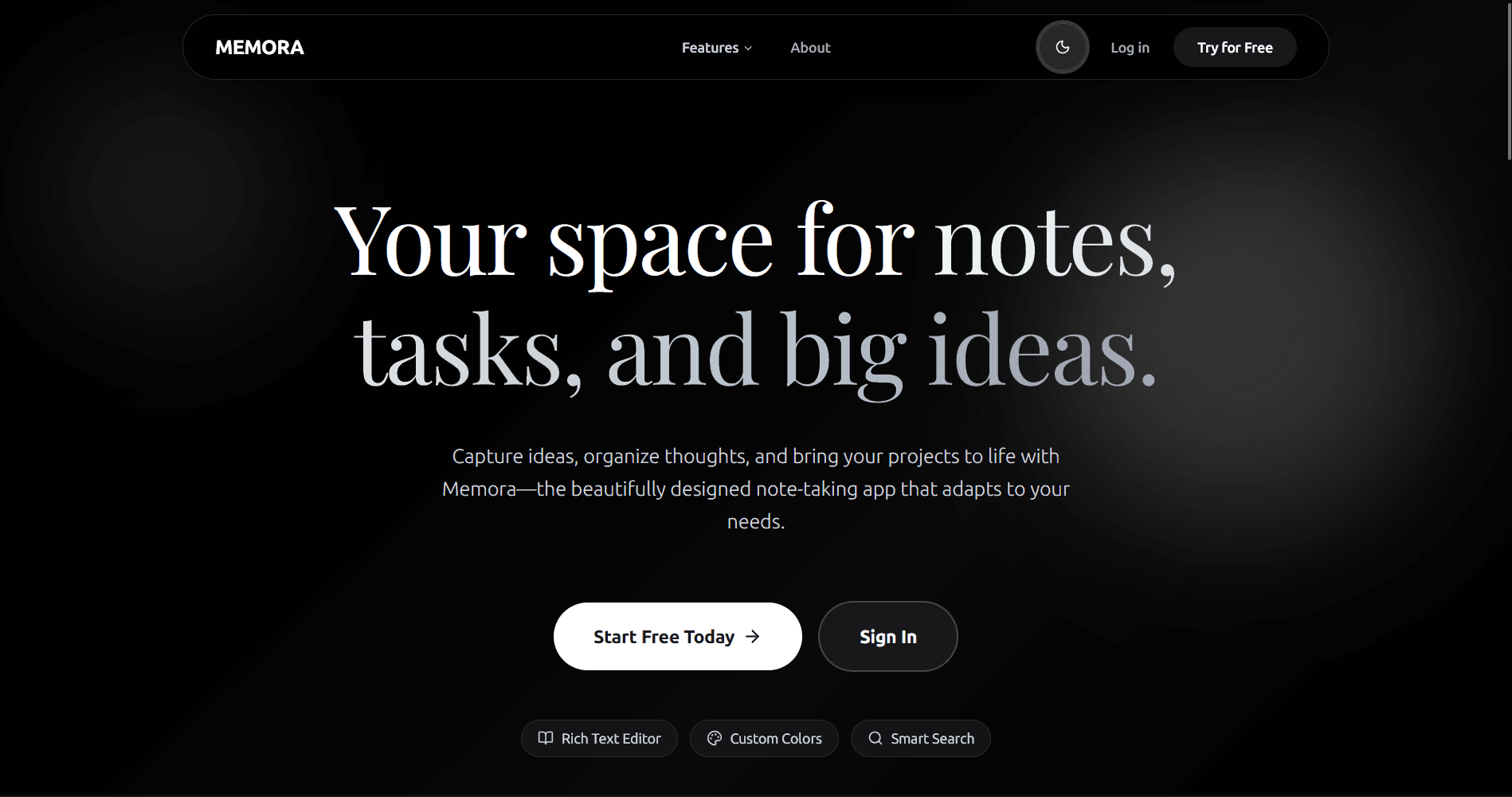
Memora
A modern, beautifully designed note-taking application that helps you capture ideas, organize thoughts, and bring your projects to life. Built with Next.js, TypeScript, and PostgreSQL with rich text editing and secure authentication.
Timeline
4 weeks
Role
Full Stack Developer
Team
Solo
Status
CompletedTechnology Stack
Key Challenges
- Rich Text Editor Integration
- Authentication System Setup
- Database Schema Design
- Real-time Data Synchronization
- Optimistic UI Updates
- Color Customization System
Key Learnings
- Next.js 16 App Router
- Better Auth Integration
- Prisma ORM with PostgreSQL
- TanStack Query for Data Fetching
- BlockNote Editor Implementation
- Google OAuth Flow
- TypeScript Best Practices
- Radix UI Components
Memora: Your Space for Notes, Tasks, and Big Ideas
Overview
Memora is a modern, beautifully designed note-taking application that helps you capture ideas, organize thoughts, and bring your projects to life. Built with Next.js and TypeScript, it offers a seamless experience for managing your notes with rich text editing capabilities, customizable themes, and secure cloud-based storage.
Unlike simple note apps, Memora combines the power of a rich text editor with a robust backend featuring PostgreSQL database storage, secure authentication, and smart organization features—all wrapped in a stunning, pastel-themed interface.
What Users Can Do
Rich Text Editing
- BlockNote Editor Integration: Powerful rich text editing with support for formatting, lists, headings, and more
- Real-time Editing: Smooth, responsive editing experience with instant updates
- JSON-based Storage: Notes stored in structured JSON format for flexibility
Customizable Note Colors
- Color Picker: Choose from a variety of pastel colors to organize and personalize notes
- Visual Organization: Quickly identify notes by their color themes
- Dynamic Backgrounds: Note sections adapt to selected color in real-time
Smart Search & Organization
- Search Functionality: Quickly find notes by searching titles and content
- Grouped by Date: Notes automatically organized by creation date (Today, Yesterday, This Week, This Month, Older)
- Grid Layout: Beautiful, responsive grid view for easy browsing
Authentication & Security
- Better Auth Integration: Secure authentication system
- Email & Password: Traditional sign-up and sign-in flow
- Google OAuth: One-click sign-in with Google
- Session Management: Secure session handling with automatic token refresh
Responsive Design
- Mobile-First: Fully responsive design that works on all devices
- Touch-Optimized: Smooth interactions on touch devices
- Adaptive UI: Layout adjusts beautifully from mobile to desktop
Why I Built This
I created Memora to provide a comprehensive note-taking solution that balances simplicity with powerful features:
- Existing note-taking apps are either too simple or overly complex
- Users need a distraction-free environment with modern editing capabilities
- Cloud storage with secure authentication is essential for accessing notes anywhere
- Visual organization through colors helps users quickly identify and categorize notes
- A minimalist, pastel-themed design makes the experience enjoyable
Tech Stack
Frontend
- Next.js 16 - React framework with App Router
- React 19 - Latest React with concurrent features
- TypeScript - Type-safe development
- Tailwind CSS - Utility-first CSS framework
- BlockNote - Rich text editor
- TanStack Query - Data fetching and state management
- Lucide React - Beautiful icon library
Backend & Database
- Prisma - Next-generation ORM
- PostgreSQL - Reliable relational database
- Better Auth - Modern authentication solution
UI Components
- Radix UI - Unstyled, accessible components
- Mantine - UI components for BlockNote editor
- React Hot Toast - Notification system
Key Features
Note Management
- Create Notes: Rich text editor with comprehensive formatting options
- Edit Notes: Update existing notes with live preview
- Delete Notes: Remove notes with confirmation dialog
- View Notes: Read-only view with formatted content
Color Customization
- Palette Selection: Choose from predefined pastel colors
- Live Preview: See color changes in real-time
- Persistent Colors: Colors saved with each note
Search & Filter
- Full-Text Search: Search across note titles and content
- Case-Insensitive: Find notes regardless of capitalization
- Instant Results: Real-time search with no delays
Date Grouping
- Smart Categories: Automatic grouping (Today, Yesterday, This Week, etc.)
- Chronological Order: Notes sorted by most recent first
- Visual Separators: Clear section dividers between groups
Authentication Flow
- Sign Up: Create account with email/password or Google OAuth
- Email Verification: Optional email verification system
- Sign In: Secure login with session management
- Protected Routes: Dashboard accessible only to authenticated users
- Session Handling: Automatic token refresh and logout
Database Schema
User Model
- id, email, name, image
- emailVerified, isPro
- Relations: sessions, accounts, notes
Note Model
- id, title, content (JSON), color
- userId (foreign key)
- createdAt, updatedAt
Session Management
- Secure session management with Better Auth
- Token-based authentication
Design Philosophy
Memora follows a minimalist, pastel-themed design philosophy:
- Clean Interface: Distraction-free writing experience
- Soft Colors: Easy on the eyes with pastel color palette
- Smooth Animations: Subtle transitions for better UX
- Responsive Layout: Optimized for all screen sizes
Performance Optimizations
- Server-Side Rendering: Fast initial page loads with Next.js App Router
- TanStack Query: Efficient data fetching with automatic caching and revalidation
- Optimistic Updates: Instant UI feedback for better user experience
- Code Splitting: Lazy loading for optimal bundle sizes
Project Structure
memora/
├── app/                      # Next.js App Router
│   ├── (auth)/              # Authentication routes
│   ├── api/                 # API routes (auth, notes, user)
│   ├── dashboard/           # Protected dashboard
│   └── page.tsx             # Landing page
├── components/              # React components
│   ├── auth/                # Authentication forms
│   ├── dashboard/notes/     # Note-related components
│   ├── landing/             # Landing page sections
│   └── ui/                  # Reusable UI components
├── lib/                     # Utility functions
│   ├── auth.ts              # Better Auth configuration
│   └── db.ts                # Prisma client
└── prisma/                  # Database schema
Future Enhancements
- Note sharing and collaboration features
- Export to multiple formats (PDF, Markdown)
- Folder organization system
- Tags and labels for better categorization
- Mobile app version
- Real-time collaboration